
The Complete Guide to WhatsApp Message Templates (HSM): Approval, Types & Best Practices
Everything you need to know about WhatsApp Message Templates (HSM): what they are, the different types, how to get them approved, and best practices to maximize delivery and conversions.
If you’re using the WhatsApp Business API to reach customers at scale, message templates are not optional—they’re essential. Every proactive message you send outside the 24-hour conversation window must be a pre-approved template. Yet most businesses treat them as an afterthought, wondering why their messages get rejected or why open rates are lower than expected.
This guide covers everything: what WhatsApp message templates are, the different types (including the newer authentication and utility categories), how the approval process works, and the best practices that separate high-performing templates from ones that land in the rejection bin.
What Is a WhatsApp Message Template (HSM)?
HSM stands for Highly Structured Message—Meta’s original name for what most people now call message templates. A template is a pre-written, parameterized message format that needs to be submitted to and approved by Meta before you can send it.
Why does this exist? WhatsApp’s policy is designed to protect users from spam. Once a customer starts a conversation with your business (initiating a “user-initiated session”), you can reply freely for 24 hours. But once that window closes, or if you want to reach out first, you must use an approved template.
Templates can include:
- Fixed text (your message body)
- Variables like
{{1}},{{2}}(dynamic content: customer name, order number, etc.) - Header (text, image, video, or document)
- Footer (small disclaimer or unsubscribe text)
- Buttons (call-to-action or quick reply)
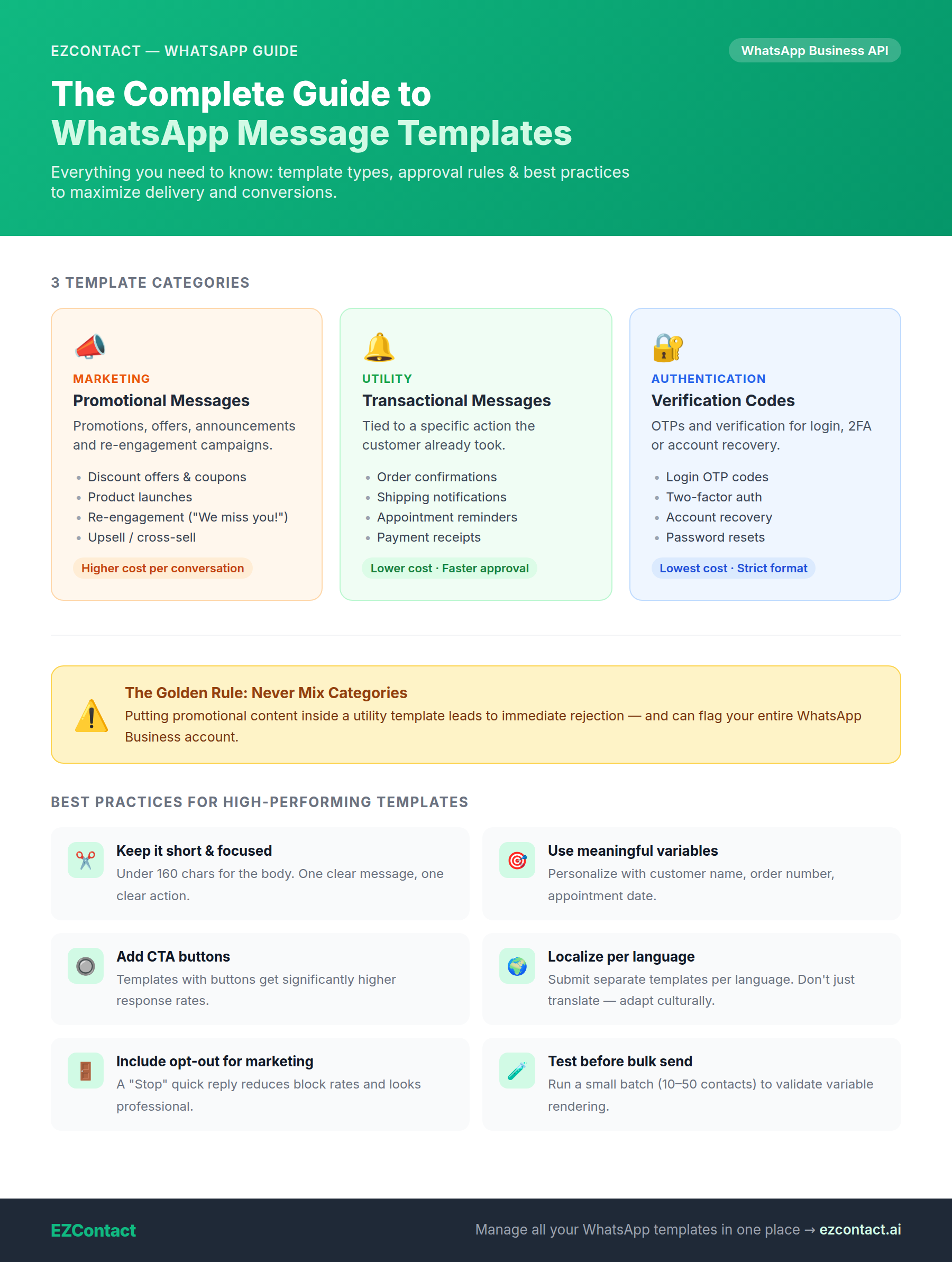
The 3 Categories of WhatsApp Message Templates
Meta reorganized template categories in 2023, and understanding these categories is critical—they affect pricing and approval speed.
1. Marketing Templates
Any message that promotes products, services, or offers. This includes:
- Product announcements
- Promotional offers and discounts
- Newsletter-style updates
- Re-engagement campaigns (“We miss you!”)
- Upsell / cross-sell messages
Example:
Hi {{1}}! 🎉 Your exclusive discount is ready. Use code SAVE20 to get 20% off your next order. Shop now: {{2}}
Marketing templates have the highest CPR (cost per conversation) and face the most scrutiny during approval. Meta evaluates whether the content could be perceived as spam.
2. Utility Templates
Transactional messages tied to a specific action the customer already took:
- Order confirmations
- Shipping notifications
- Appointment reminders
- Payment receipts
- Account updates
Example:
Your appointment with Dr. {{1}} is confirmed for {{2}} at {{3}}. Reply CONFIRM to keep it or RESCHEDULE to change it.
Utility templates are cheaper than marketing ones and get approved faster because they’re clearly tied to an existing customer relationship.
3. Authentication Templates
One-time passwords (OTPs) and verification codes:
- Login verification
- Two-factor authentication
- Account recovery codes
Example:
Your verification code is {{1}}. Valid for 10 minutes. Do not share it with anyone.
Authentication templates have the strictest format requirements (Meta has a standardized structure) and the lowest cost per conversation.
How the Approval Process Works
Here’s what happens after you submit a template:
Step 1: Submission
You submit the template through your WhatsApp Business Solution Provider (BSP)—like EZContact—specifying the category, language, and content. You can submit in multiple languages simultaneously.
Step 2: Meta Review
Meta’s automated system reviews the template, typically within a few minutes to 24 hours. It checks:
- Content policy compliance (no prohibited content: gambling, weapons, adult content, etc.)
- Category accuracy (is it really utility? or is it marketing dressed up as utility?)
- Quality signals (does it look spammy?)
Step 3: Status
Your template gets one of three statuses:
- ✅ Approved — Ready to send immediately
- ❌ Rejected — Doesn’t meet policy. You’ll get a rejection reason.
- 🔄 Paused — Was live, but user feedback/block rates dropped its quality score
What causes rejections?
- Miscategorized templates — Labeling a marketing message as “utility”
- Promotional language in utility templates — “Your order shipped! And check out our sale…”
- Prohibited content — Anything against Meta’s policies
- Vague variable usage — Templates where {{1}} could be used for anything abusive
- Excessive emojis or ALL CAPS — Perceived as spammy
Template Quality Ratings
Once a template is live and sending, Meta tracks its quality rating based on:
- How many users block your business after receiving the message
- How many users report the message as spam
Quality scores are: High → Medium → Low
If your score drops to Low, the template gets paused automatically. If it stays low, it gets disabled. This is why content quality matters even after approval.
Best Practices for High-Performing Templates
✅ 1. Be Explicit, Not Clever
Avoid vague or overly “creative” copy that could confuse the reviewer. State clearly what the message is about.
❌ “Something amazing awaits you at {{1}}”
✅ “Your order #{{1}} has been shipped and will arrive by {{2}}”
✅ 2. Match Category to Content — Always
Never put promotional content in a utility template to save money. Meta catches this and it leads to rejection plus potential account flags.
✅ 3. Use Personalization Variables Meaningfully
Every {{variable}} you add should serve a purpose. Templates with well-used variables (customer name, specific order details) have higher engagement and lower block rates.
✅ 4. Keep It Short and Action-Oriented
WhatsApp is a messaging app, not an email client. The best templates:
- Are under 160 characters for the body
- Have one clear CTA
- Don’t try to say five things at once
✅ 5. Add Buttons for Higher Engagement
Templates with CTA buttons (Visit Website, Call Now) or Quick Reply buttons consistently outperform text-only templates. They reduce friction and make the next step obvious.
✅ 6. Include an Opt-Out Path for Marketing
For marketing templates, best practice (and increasingly a policy requirement) is to include a “Stop” quick reply or footer opt-out. It looks professional and reduces block rates.
✅ 7. Test Variables Before Sending at Scale
Run a small test batch first (10–50 contacts) to confirm the variables populate correctly and the message reads naturally in context.
✅ 8. Localize per Language — Don’t Just Translate
Submit separate templates for each language your customers use. A direct translation often misses cultural nuance. Localized templates have better engagement.
Managing Templates at Scale with EZContact
When you’re running campaigns across hundreds of contacts, template management becomes a workflow challenge. EZContact centralizes this with:
- Template library — All your approved templates in one place, organized by category and language
- Variable preview — See exactly how the message looks with real contact data before sending
- Bulk sends by label — Send a template to all contacts tagged “VIP”, “Leads”, or any custom segment in seconds
- Delivery tracking — See who received, read, or responded to each template send
The days of copy-pasting templates and manually tracking sends in a spreadsheet are over. With the right platform, a campaign that used to take hours runs in minutes.
Quick Reference: Template Checklist
Before submitting any template, run through this checklist:
- Category is accurate (marketing / utility / authentication)
- No promotional content in utility templates
- Variables are clearly defined and can’t be abused
- No prohibited content per Meta’s policies
- CTA button added (when relevant)
- Opt-out path included (for marketing)
- Submitted in all target languages
- Tested with sample variable data
Start Sending Templates That Convert
WhatsApp message templates are one of the most powerful tools in your customer communication stack—when done right. The businesses that win are the ones that treat template creation as a discipline: clear messaging, right category, meaningful personalization, and continuous quality monitoring.
Ready to manage your WhatsApp templates like a pro? Start free with EZContact →